
Lucky King Wallet Binding Rules: Why Borrowing a Relative’s GCash Account Triggers an Instant Payout Freeze
Most Filipino players type a quick nickname when signing up for a mobile casino, only to discover later that the payment gateway blocks their withdrawal because their GCash or Maya legal name does not match. On the platform, following strict KYC name-matching hygiene prevents 100% of identity holds.
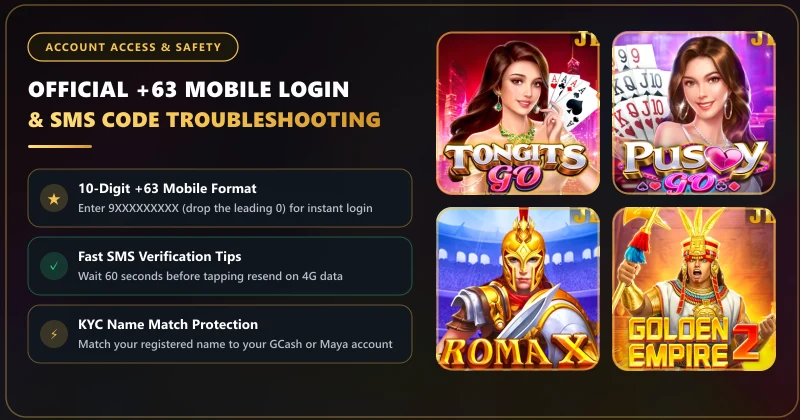
When you bind a GCash, Maya, or local bank account in the cashier, the payment gateway cross-checks the account-holder name you entered against your verified e-wallet record and any previous payout bindings. Using nicknames, initials, or a friend's/spouse's GCash number triggers an immediate anti-fraud hold.
Why You Can Never Withdraw to a Spouse's or Friend's GCash
One of the most common questions our Pasig City review desk receives is: "My own GCash reached its monthly limit (or I lost my SIM), so can I bind my wife's or brother's GCash number to withdraw my winnings?"
The answer is a strict No. Every automated casino cashier enforces a Single-Identity Ownership Rule: once your first withdrawal wallet is bound under your legal name (for example, JUAN DELA CRUZ), every subsequent wallet (Maya or bank account) added to that same player account must belong to JUAN DELA CRUZ. Attempting to bind a second wallet under MARIA DELA CRUZ flags the account for third-party payment laundering and freezes cashouts until manual ID verification is completed.
| Filipino Name Edge Case | Wrong Way to Type It in Cashier | Correct Way to Match GCash / Maya |
|---|---|---|
| Compound First Names (e.g., Mark Anthony) | Mark Cruz or M.A. Cruz | MARK ANTHONY CRUZ (include both first names) |
| "De La" / "Delos" Surnames (e.g., Dela Rosa) | Adding hyphens or symbols (De-La Rosa) | Match the exact spacing shown in your GCash Profile screen |
| Suffixes (Jr., Sr., III) | Putting punctuation periods (Juan Cruz, Jr.) | Omit commas/periods (JUAN CRUZ JR or match GCash profile) |
| Special Characters (Ñ / ñ in Niño or Peña) | Typing symbols or numbers | Standard ASCII N (NINO / PENA) passes BancNet/InstaPay cleanest |
How to Check Your Exact Registered Name Inside GCash & Maya
Before typing your name into the casino's Bind Account screen, take 15 seconds to look up how your e-wallet stores your verified identity:
- Inside GCash: Tap Profile in the bottom-right corner, then tap your name at the top. Look at the exact spelling of your First Name, Middle Name, and Last Name on your Fully Verified profile card.
- Inside Maya: Tap your Profile icon in the top-left corner and select Account Details to see the exact legal name tied to your Upgraded Maya wallet.
How to Fix a Typo After You Already Bound Your Wallet
Because the cashier locks bound wallet records to prevent hackers from altering your payout destination, you cannot manually edit a misspelled name or wrong digit yourself once saved.
How to Request a Binding Reset via Support: If you accidentally typed a wrong digit in your GCash number or misspelled your surname, open the 24/7 LiveChat widget or email cstablegame@gmail.com. Provide your registered mobile number and a screenshot of your verified GCash/Maya profile page so the security agent can unbind the typo and let you re-bind cleanly.
Taking two minutes to complete a ₱100 test deposit and a ₱100 test withdrawal right after binding your wallet is the smartest habit in Philippine online gaming. Once your first ₱100 payout clears into GCash, your identity profile is whitelisted for future high-tier withdrawals.
Formatting Your Legal Name for Zero KYC Friction on Lucky King
See all deposit and payout walkthroughs in our GCash & Maya Cashier center or open your account profile below. Always bind your personal GCash or Maya wallet before placing your first spin so you know your payout rail is verified from Day 1.
Lucky King KYC Name Match & Wallet Ownership FAQ
Can I change my bound GCash number by myself inside the cashier?
For security reasons, once a GCash or Maya number is bound via SMS OTP (SMS verification active), players cannot overwrite it manually without contacting 24/7 LiveChat support to verify ownership.
Do I need to upload a government ID just to withdraw ₱500 via GCash?
Routine withdrawals to a bound, name-matched GCash or Maya account do not require manual ID uploads. Manual KYC document checks are only triggered if there is a name conflict, a request to unbind a lost phone number, or an irregular multi-account security flag.
Should I include my middle initial when binding my GCash account?
Type your First Name and Last Name (or First, Middle, and Last Name) using standard letters and spaces without periods or commas, matching the name shown on your GCash Profile screen.
What if I married recently and my GCash still shows my maiden surname?
Always enter the exact surname currently displayed inside your verified GCash or Maya app so the automated InstaPay name-check matches 100%.